Lab-2-2
(2.5% of the course mark)
First React Lab
- The First React Lab is an immersive hands-on workshop designed to introduce participants to the fundamentals of building dynamic web applications using React.js, a popular JavaScript library for building user interfaces and Vite, a modern build tool. This lab provides an interactive learning environment where participants can gain practical experience working with React.js and Vite through a series of guided exercises and projects.
Lab objectives
-
Understand the basics of React.js, including its component-based architecture and virtual DOM.
-
Learn how to set up a local development environment with Node.js, npm and vite to build React applications.
-
Run the linter using
npm run lintto identify and fix code issues.
Create basic React app
- On VSCode, open the terminal and run the following command:
npm create vite@latest
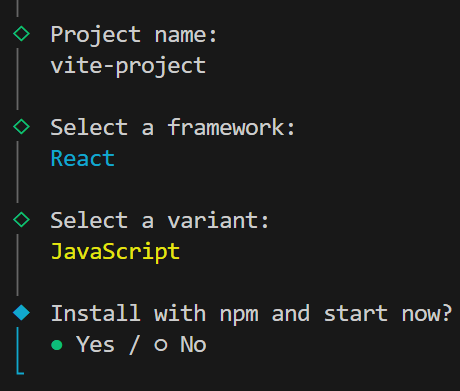
- Ensure that the following values are used:
-
Open your browser and navigate to: http://localhost:5173. This should open a sample React app, try to click on count button. The count value should increment every time it is clicked.
-
Let use try HMR(Hot Module Replacement) by editing App.jsx.
-
Inside the src folder open the App.jsx file. Look for the following code:
<h1>Get started</h1>
-
Change the text with first and last name first react app and save the changes. Ensure that first and last name is replaced with your first and last name.
-
Open your browser and navigate to: http://localhost:5173, changes should be displayed immediately. Take a screenshot and save it as vite-hmr.png.
Clean up React app
- In the root folder of the app, open index.html and modify the title tag:
<!-- From: -->
<title>vite-project</title>

<!-- From: -->
<title>First React App</title>
- In the src folder, open main.jsx and remove the following code:
import "./index.css";
- In the src folder, update App.jsx and overwrite the contents by adding the following code:
// Developer:
// Purpose:

function App() {
  return <h1>First React App</h1>;
}

export default App;
- Delete the following:
-
Folder:
- src/assets
-
File:
-
src/App.css
-
src/index.css
- Open your browser and navigate to: http://localhost:5173, changes should be displayed immediately. Take a screenshot and save it as vite-minimal.png.
-
Try linter
A linter is a static code analysis tool that scans source code without running it to find syntax errors, potential bugs, stylistic inconsistencies, and security flaws. It helps developers enforce coding standards, improve code readability, and catch errors early in the development process.
- Update App.jsx and on the first line of the function, copy one or more of the following bad code:
// Unused variables
let y = 2;

// Variable that does not exist
console.log(yy);

// eval function not allowed
eval("code");

// Empty block
if ((xy = 1)) {
}

// Parameter name clash
const f = (a, a) => {};

// Duplicate keys
const o = { a: 1, a: 2 };
- In the terminal ctl-c to stop the app and run the following command:
npm run lint
- The terminal output should display the results of the linter, it should flag the bad code in the App.jsx file. Take a screenshot and save it as vite-lint.png.
Submission
- Create a folder named submit.
Delete the node_modules folder on any app that you are submitting.
-
Copy the vite-project and all the screenshots (vite-hmr.png, vite-minimal.png, and vite-lint.png) to the submit folder.
-
Create a zip file of the submit folder.
-
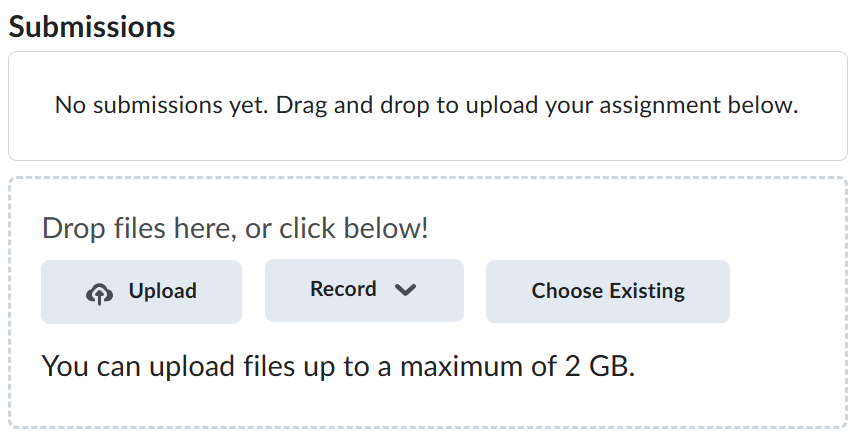
Navigate back to where the lab was originally downloaded, there should be a Submissions section (see below) where the zip file can be uploaded.