Lab-2-10
(2.5% of the course mark)
React useEffect Lab
- The React useEffect Lab is designed to provide a comprehensive, hands-on experience with using the useEffect hook in React applications. Learn how to use React's useEffect hook to manage side effects like fetching data, setting up subscriptions, and updating the DOM.
Lab objectives
-
Explain what a side effect is in the context of a React component.
-
Use the useEffect hook to run code after a component renders.
-
Control when useEffect runs using the dependency array.
-
Fetch data from an API inside a useEffect hook.
Create basic React app
- On VSCode, open the terminal and enter the following command:
npm create vite@latest react-use-effect-app -- --template react
- Clean up the project by doing the following:
- In the src folder, update main.jsx and remove the following code:
import "./index.css";
- In the src folder, update App.jsx and overwrite the contents by copying the following code:
// Developer:
// Purpose:

function App() {
  return <h1>First React App</h1>;
}

export default App;
-
Delete the following:
-
Folder:
- src/assets
-
File:
-
src/App.css
-
src/index.css
-
-
- Open your browser and navigate to: http://localhost:5173, changes should be displayed immediately.
-
Ensure that you are able to see the latest changes in the browser after the project clean up.
-
Do not not proceed to the next step until you have verified that the project is still working.
Add Lucide React
- In the terminal, install Lucide React by running the following command:
npm install lucide-react
Add Tailwind
- In the terminal, install Tailwind and Vite plugin by running the following command:
npm install -D tailwindcss @tailwindcss/vite
- In the root of the app, update vite.config.js and add the following code:
import { defineConfig } from "vite";
import react from "@vitejs/plugin-react";
import tailwindcss from "@tailwindcss/vite";

export default defineConfig({
  plugins: [react(), tailwindcss()],
});
- In the src folder, create a file named: style.css and add the following code:
@import "tailwindcss";
- In the src folder, update main.jsx with the following css import statements:
import "./style.css";
Ensure this file has no other CSS imports besides the one above, as doing so may cause inconsistencies in the output.
Create components
-
Inside the src folder, create a folder named: components.
-
Inside the components folder, create a file named: UseEffectDemo.jsx and add the following code:
// Developer:
// Purpose:

// React hooks
import { useEffect, useState } from "react";

function UseEffectDemo() {
  let API_BASE_URL = "https://jsonplaceholder.typicode.com";

  // State variables
  const [tableDatas, setTableDatas] = useState([]);
  const [loading, setLoading] = useState(false);

  // useEffect - A React hook that runs side effects like API calls or DOM updates after render
  useEffect(() => {
    (async () => {
      try {
        setLoading(true);
        // Use the fetch function to get the data from the server
        const response = await fetch(`${API_BASE_URL}/posts`);
        const data = await response.json();
        console.log(data);
        if (data) {
          setTableDatas(data);
        }
      } catch (error) {
        alert("An error has occurred. Please see the browser console.");
      } finally {
        setLoading(false);
      }
    })();
  }, []);
  // The dependency array list is empty, this code will execute once

  // Display a spinner while the data is being loaded
  if (loading)
    return (
      <div className="flex justify-center items-center h-screen">
        <div className="animate-spin h-10 w-10 border-4 border-gray-500 border-t-transparent rounded-full" />
      </div>
    );

  return (
    <div className="flex justify-center items-center h-screen">
      <h1 className="mb-2 text-3xl font-bold">{tableDatas.length} Records</h1>
    </div>
  );
}

export default UseEffectDemo;
- Inside the src folder, update App.jsx and add the following code:
import UseEffectDemo from "./components/UseEffectDemo";

function App() {
  return <UseEffectDemo />;
}

export default App;
- In the terminal, run the following command:
npm run dev
-
Open your browser and navigate to: http://localhost:5173, open the browser's developer console and take note of the data that was downloaded from the server. Take a screenshot and save it as react-use-effect01.png.
-
Inside the components folder, update UseEffectDemo.jsx.
From:
const response = await fetch(`${API_BASE_URL}/posts`);
To:
const response = await fetch(`${API_BASE_URL}/comments`);
-
Open your browser and navigate to: http://localhost:5173, open the browser's developer console and take note of the data that was downloaded from the server. Take a screenshot and save it as react-use-effect02.png.
-
Inside the components folder, create a file named: UseEffectDemo.jsx and add the following code:
// Developer:
// Purpose:

// React hooks
import { useEffect, useState } from "react";

// Use the following Lucide React icons
import { FileStack } from "lucide-react";

// Table header definition
const dynamicTableHeaders = {
  posts: ["id", "userId", "body", "title"],
  comments: ["postId", "id", "name", "email", "body"],
};

function UseEffectDemo() {
  let API_BASE_URL = "https://jsonplaceholder.typicode.com";

  // State variables
  const [resource, setResource] = useState("posts");
  const [dynamicTableDatas, setDynamicTableDatas] = useState([]);
  const [loading, setLoading] = useState(false);

  // useEffect - A React hook that runs side effects like API calls or DOM updates after render
  useEffect(() => {
    (async () => {
      try {
        setLoading(true);
        // Use the fetch function to get the data from the server
        const response = await fetch(`${API_BASE_URL}/${resource}`);
        const data = await response.json();

        if (data) {
          setDynamicTableDatas(data);
        }
      } catch (error) {
        alert("An error has occurred. Please see the browser console.");
      } finally {
        setLoading(false);
      }
    })();
  }, [resource]);
  // resource is added as a dependency array.
  // This means when it's value changes it will re-execute the code inside the hook

  const clickHandler = (event) => {
    if (resource !== event.target.id) {
      setResource(event.target.id);
    }
  };

  // Display a spinner while the data is being loaded
  if (loading)
    return (
      <div className="flex justify-center items-center h-screen">
        <div className="animate-spin h-10 w-10 border-4 border-gray-500 border-t-transparent rounded-full" />
      </div>
    );

  return (
    <div className="p-4 m-4">
      <div className="flex flex-wrap justify-center items-center gap-3 p-4">
        {Object.keys(dynamicTableHeaders).map((key, index) => (
          <button
            onClick={clickHandler}
            key={key}
            id={key}
            className="px-4 py-2 rounded border border-gray-300 hover:bg-gray-200"
          >
            {key}
          </button>
        ))}
      </div>

      <div className="max-w pt-4 mx-auto">
        <h2 className="text-lg font-medium mb-6 flex items-center justify-center gap-2">
          <FileStack className="w-5 h-5" />
          {dynamicTableDatas.length} {resource}
        </h2>
        <table className="w-full text-sm border border-gray-200 rounded-lg overflow-hidden">
          <thead className="bg-gray-50 text-gray-600 text-left">
            <tr>
              {dynamicTableHeaders[resource].map(
                (dynamicTableHeader, index) => (
                  <th key={index} className="px-4 py-3 font-medium text-center">
                    {dynamicTableHeader}
                  </th>
                )
              )}
            </tr>
          </thead>
          <tbody className="divide-y divide-gray-200">
            {dynamicTableDatas.map((dynamicTableData, index) => (
              <tr key={index} className="hover:bg-gray-200">
                {dynamicTableHeaders[resource].map(
                  (dynamicTableHeader, index) => (
                    <td key={index} className="px-4 py-3">
                      {dynamicTableData[dynamicTableHeader]}
                    </td>
                  )
                )}
              </tr>
            ))}
          </tbody>
        </table>
      </div>
    </div>
  );
}

export default UseEffectDemo;
-
Open your browser and navigate to: http://localhost:5173, Click on the posts and comments buttons and take note of the data that is downloaded when each button is clicked. Take a screenshot and save it as react-use-effect03.png.
-
Navigate to https://jsonplaceholder.typicode.com, scroll down to the Resources section. Click on a resource that is not posts or comments and take note of the json structure of the resource clicked.
-
Inside the components folder, update UseEffectDemo.jsx and add a new resource and it's structure to the dynamicTableHeaders:
// Table header definition
const dynamicTableHeaders = {
  posts: ["id", "userId", "body", "title"],
  comments: ["postId", "id", "name", "email", "body"],
};
- Open your browser and navigate to: http://localhost:5173, Click on the newly added resource button and take note of the data that is downloaded when each button is clicked. Take a screenshot and save it as react-use-effect04.png.
Submission
- Create a folder named submit.
Delete the node_modules folder on any app that you are submitting.
-
Copy the react-use-effect-app and all the screenshots (react-use-effect01.png, react-use-effect02.png, react-use-effect03.png, and react-events04.png) to the submit folder.
-
Create a zip file of the submit folder.
-
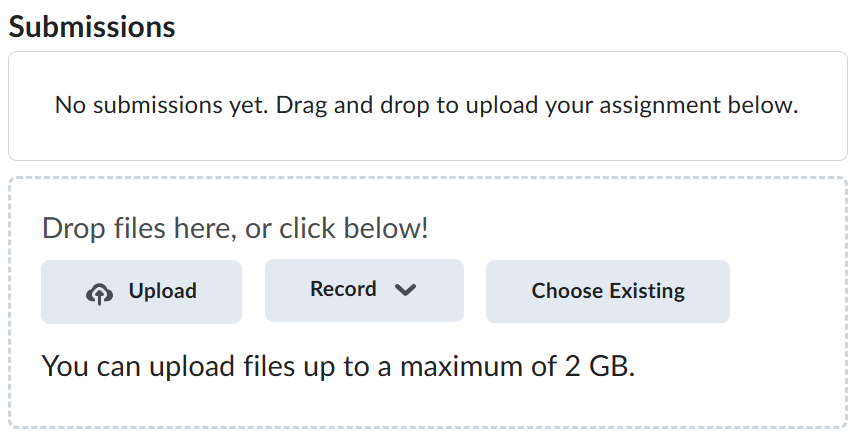
Navigate back to where the lab was originally downloaded, there should be a Submissions section (see below) where the zip file can be uploaded.